
I simplify complex systems for Hardware, Mobile, Web Apps, and Everything Else.

me@joepatbob.com
touch-2eimsensi-liteverdanttranelessons
Joseph Patrick Roberts

Case Study — Hardware

The interface has to do the hard work.

Overview

Designing for hardware is a different problem than designing for screens. Over several product cycles at Copeland, I led UX across five thermostat products — each with its own constraint profile, audience, and set of tradeoffs. From a 1728px touchscreen to 32 segments and 3 buttons. I'm a named inventor on US Patent 12,608,066 for power loss management, and have a second patent pending for a custom segment display character set.

"The interface has to do the hard work so the person using it doesn't."
01

Sensi Touch 2

Inheriting a touchscreen that didn't know it was a touchscreen

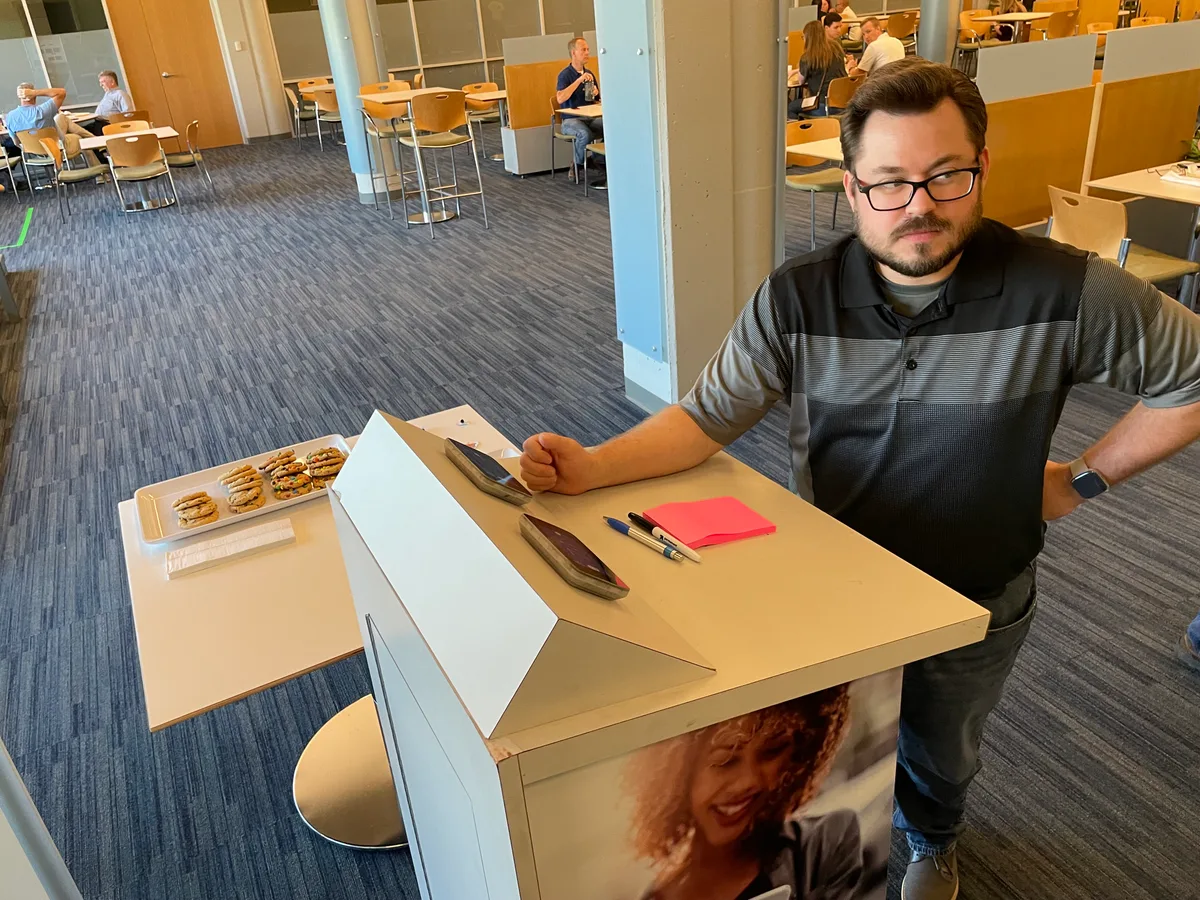
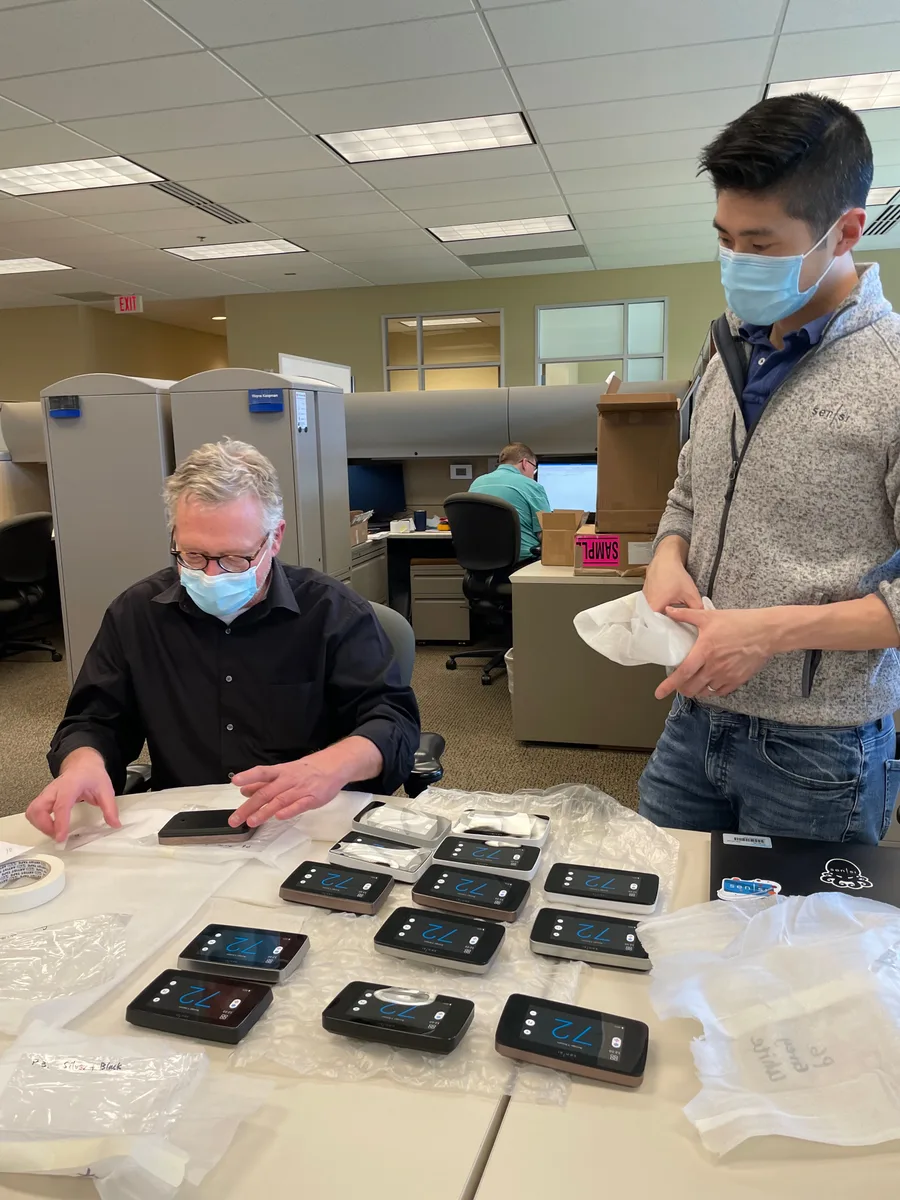
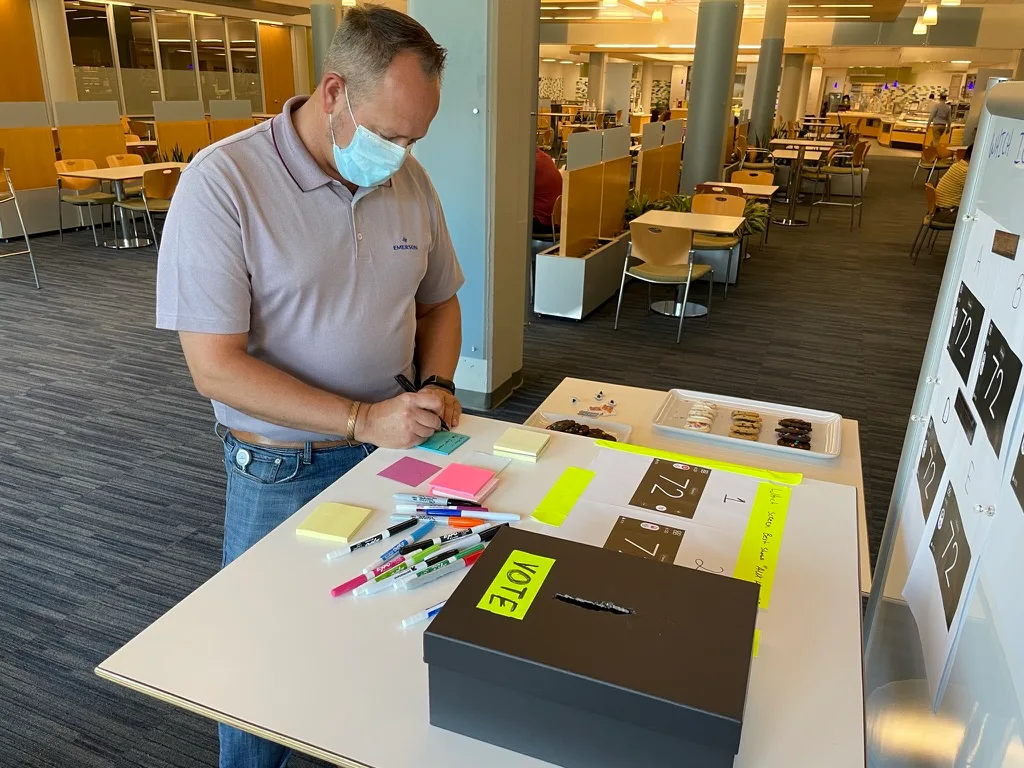
ID evaluation session with Touch 2 prototypes on a table

When I came onto Touch 2, the existing interface was replicating the visual language of the fixed segment thermostat next to it in the product line — safe, familiar, wrong. A touchscreen isn't a fixed segment display with more pixels. It's a different contract with the user entirely. I kept the core menu architecture. I changed the visual language, the interaction model, and introduced a persistent, contextual action button: one button, one job, always in the same place. The less visible decision was designing the architecture to be extensible. Remote sensors and the EIM weren't in scope. I built the UI framework so they could be added without breaking existing structure. They were added later. They fit cleanly.

02

EIM

Solving a problem by moving it somewhere better

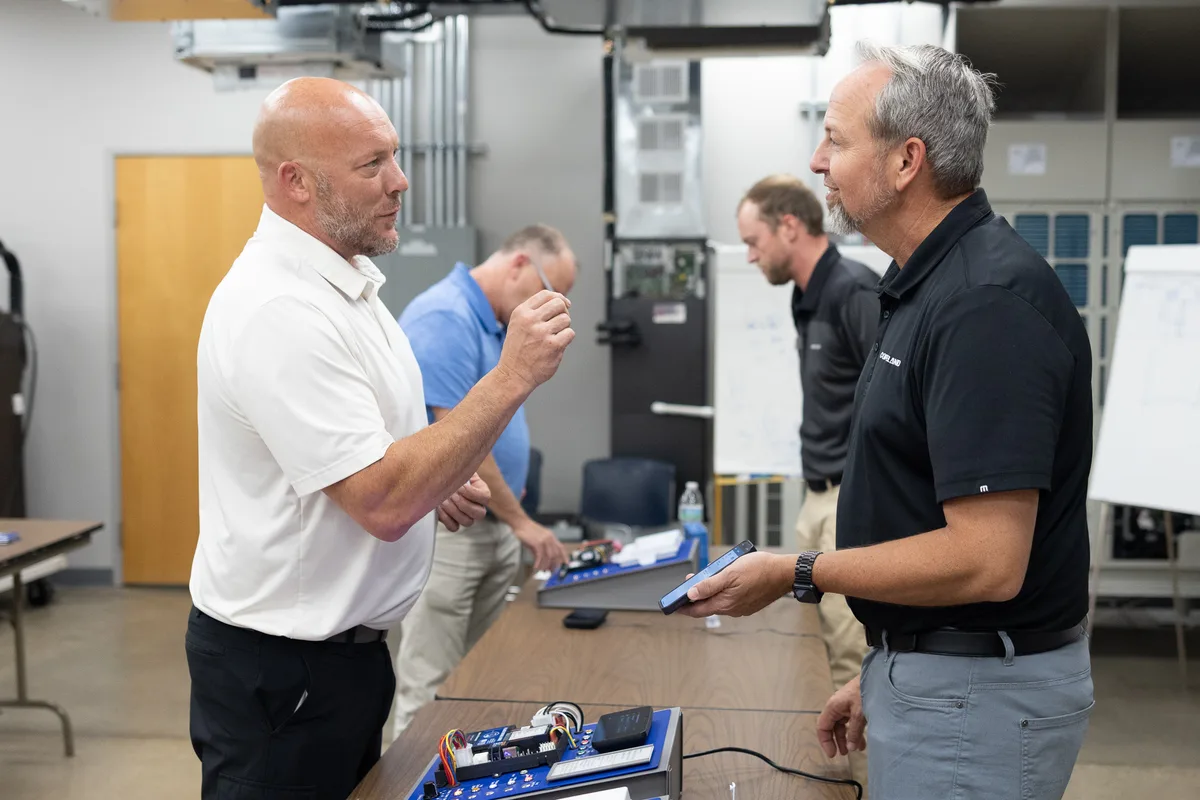
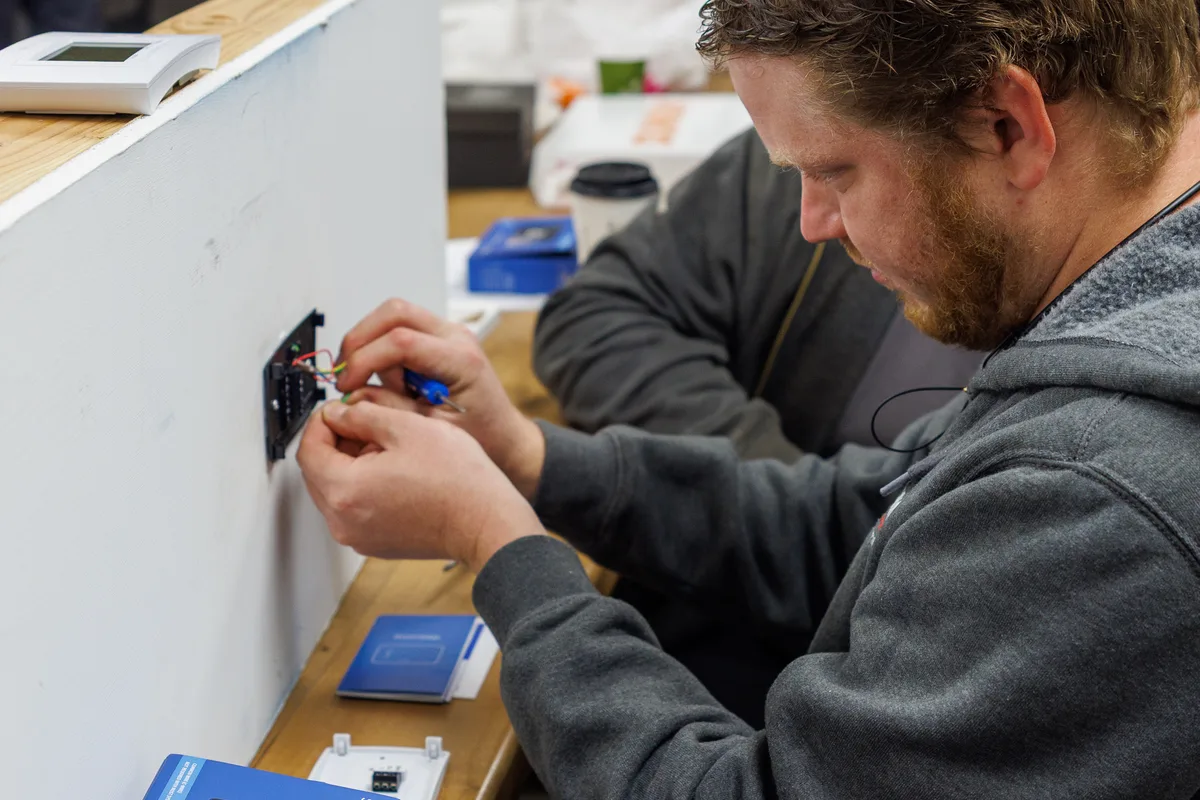
Contractor reviewing EIM device in discussion with Copeland team

The Equipment Interface Module supports both indoor and outdoor HVAC equipment. The configuration challenge: how does a contractor communicate equipment type without traveling back and forth between thermostat and unit? I moved the configuration to the thermostat. Through a simple pairing flow, the contractor sets location and equipment type once, without leaving. The EIM configures itself accordingly. Contractors noticed immediately. Patent US 12,608,066 covers the resulting power management behavior: blanking the display and surfacing device state to the mobile app rather than showing an on-device error when power stealing is lost.

03

Sensi Lite

Physical prototype — 32 segments, three controls, one enclosure.

Sensi Lite thermostat prototype on black, segmented display showing set temperature and three vertical controls

This is the hardware prototype we used to validate readout density, control affordances, and how the segment display reads on the final black face — before the UI was locked for production. The most constrained product I've worked on. 32 segments. Three buttons: up, down, and menu/action. Navigation stayed flat and cyclical. The menu/action button serves triple duty: standard press advances, long press enters homeowner settings, second long press reaches contractor configuration — accessible to the people who need it, invisible to those who don't. With flat navigation, sequence is logic. I ordered settings based on conditional dependencies so users answer questions only when they have context. Two design positions didn't survive stakeholder review. Post-launch data proved them right.

04

Verdant

Designing for hospitality, distance, and every language at once

Custom segment character set showing full alphanumeric range in orange on black

The Verdant VX4 and Line Voltage thermostats serve the hospitality market — guests who speak different languages, interact with the thermostat once, and read it from across a hotel room. The Line Voltage thermostat for the European market pushed further: I replaced all text labels with iconography. An icon either communicates or it doesn't. To support the Verdant display, I designed a high-density segment character set from scratch — angled slices with flexible geometry that renders numbers with far greater clarity at distance. Pending US patent.

05

Trane

Designing inside someone else's house

The Trane budget-tier thermostat was built under an OEM arrangement. Two stakeholder sets, two priority sets, a product shipping under someone else's name. I designed the complete UI. The brand stayed Trane's. Working within their visual language surfaced most concretely in iconography — fixed segment displays have no room for ambiguity. Trane's thermostats include a motion sensor our products don't have. Getting deep into how it worked seeded thinking about how motion sensing could integrate into our own product line.

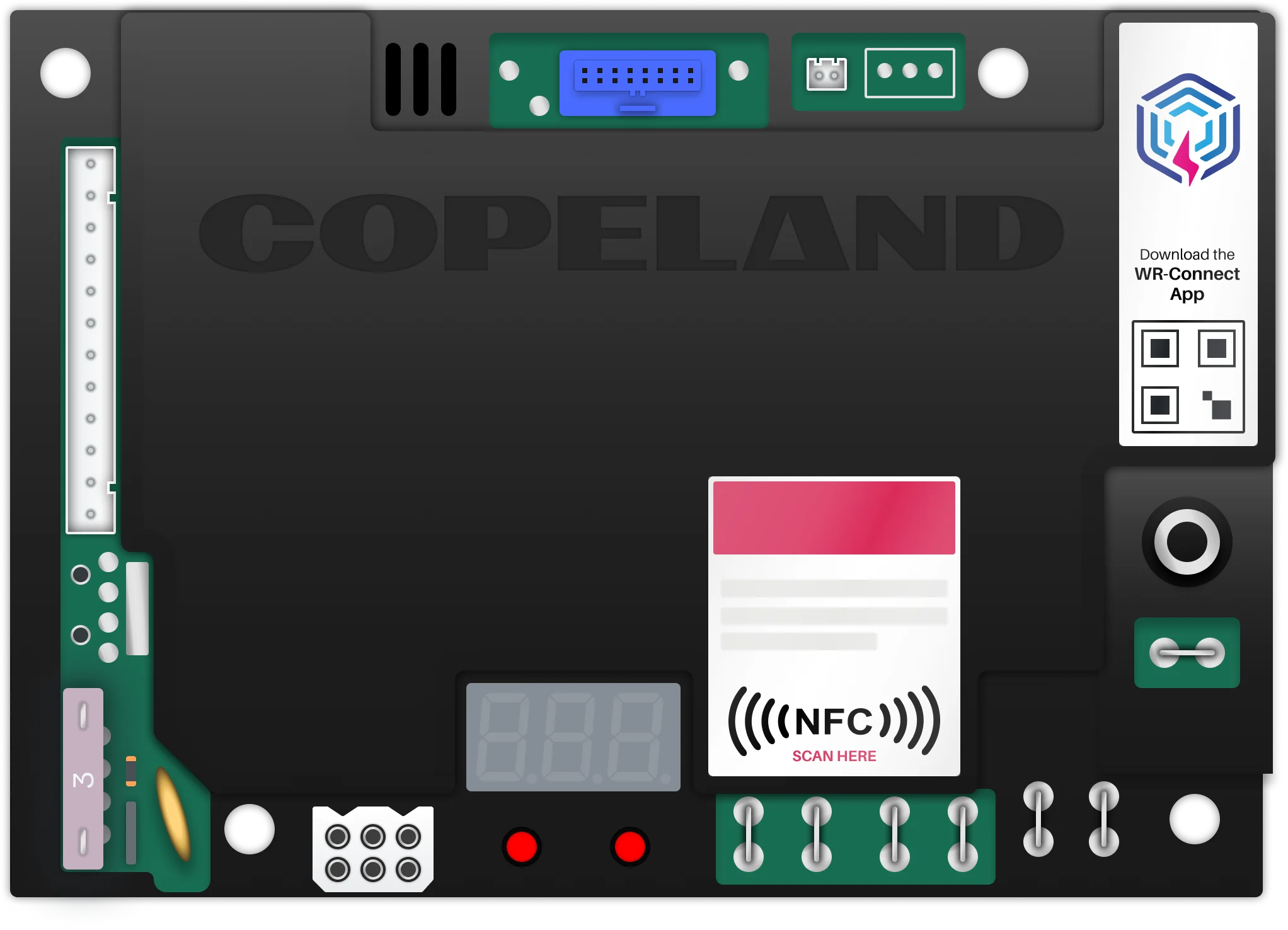
Verdant VX4 PCB and display hardware

What hardware teaches you.

Designing for hardware strips away the safety nets. You can't push an update to fix a confusing menu on a shipped thermostat. You can't add a tooltip to a 32-segment display. The decisions you make are the decisions users live with. That pressure is clarifying. It makes you more deliberate about every choice, more rigorous about validation, and more honest about the difference between what you prefer and what actually works. It also makes everything else feel a little more spacious.

Case Study · 02

Mobile Design.

Overview

Platform migration, a color system overhaul, a content surface that didn't feel like an ad, and rethinking how technicians configure hardware. Role: Principal Product Designer · Platform: iOS + Android · Timeline: 2018 – Present · Outcome: 4.3 → 4.7 iOS · 4.4 Android

"Don't just redesign. Fix the foundation."
01

The Strategy

Don't just redesign. Fix the foundation.

Sensi app before and after redesign

Sensi has been around for a while. By the time I took ownership of the app design, it had the kind of UI you'd expect from a product that moved fast and prioritized shipping: functional, but patchy. Custom controls where system components would have worked fine. Patterns that made sense in 2017 and never got revisited. A design language that accumulated inconsistencies over years of one-off decisions. The ratings reflected it. Around 4.3 stars on the App Store. Not bad, but not a product people were excited about. The first phase was a ground-up redesign of the core experience: simplified thermostat control, a cleaner dashboard, consistent system states, and a design language that actually felt intentional. It worked. Ratings climbed from 4.3 to 4.7 on iOS. But shipping the redesign was the easy part. Keeping it good over time — that's the harder problem. The platform migrations to SwiftUI on iOS and Material Expressive on Android were the opportunity to actually fix the foundation. This isn't a big-bang rewrite. The strategy is screen-by-screen: when a new feature touches a screen, that screen gets migrated. Two birds, one stone, every time.

02

The Color System

When a design decision breaks three things at once.

Before and after — full-bleed orange vs. colored temperature number on neutral background

The legacy app used full-screen color to communicate HVAC mode. Orange for heat, blue for cool, neutral for passive. The intent was right: mode state is important information, and making it ambient rather than buried in a label is good instinct. The execution had three problems. Accessibility. A saturated orange or blue background creates contrast failures for text and UI elements that sit on top of it. WCAG compliance becomes a moving target when the background color is dynamic. Dark mode. There's no clean dark mode equivalent for a full-bleed orange screen. The color either has to be desaturated into something unrecognizable or left as-is. Neither works. Brand consistency. The Sensi Touch 2 thermostat uses a different visual language for mode communication. The app and the device were telling two different stories to the same user. The solution: move the color to the number. Instead of the background adopting the mode color, the displayed temperature adopts it. Orange for heat. Blue for cool. Neutral for passive. The information is still ambient — sitting on the most prominent element on the screen — but it's surgical rather than wholesale. One change. Three problems solved.

03

The Install Flow

Removing a button that was doing someone else's job.

Wirepicker before and after — removing one button clarified the entire screen hierarchy

The installation flow is one of the highest-stakes experiences in the app. A homeowner selecting the wrong wires in the wirepicker means the app infers the wrong equipment configuration. Getting it wrong has real consequences. The legacy install flow had two buttons at the bottom of every screen: Previous and Next. Modern iOS and Android navigation already provides a reliable back action — it lives in the navigation bar at the top of every screen. Adding a second back button at the bottom creates visual clutter, splits attention, and buries the primary action between two competing controls. I removed Previous entirely. With the redundant button gone, Continue became the clear primary action. The help link moved from a small text link buried below the buttons to a proper tappable action above Continue. The progress indicator moved into the native navigation bar, showing install step position without taking up screen real estate. App Store reviewers picked up on the install experience without prompting. One long-term user specifically called out the step-by-step install guidance as "a little touch that made me fall in love with it."

04

Spotlight

Building a content surface that doesn't feel like an ad.

Spotlight in context — named section, partner logo leading, expiration date visible, consistent CTA

Sensi partners with utility companies to offer energy demand-response programs. Good programs. Low enrollment because users had no reason to go looking for them inside the app. Spotlight was the answer. A named, dedicated section on the home screen, separate from the thermostat card, that can carry partner content, product news, and savings opportunities. The hard constraints: the content isn't mine. Card copy is written by Copeland's marketing team in collaboration with energy partners. I don't control the headline length, the offer details, or the partner's logo. The design system had to handle all of that while still feeling like Sensi. And it can't feel like an ad — Sensi users trust the app to be a neutral utility tool. The decisions that mattered: Spotlight is a named section, not injected into the existing feed. Partner logos sit at the top of every card — users should know the offer is coming from their utility company, not from Sensi. The Learn More CTA is always the same style and position. Expiration dates are shown explicitly when relevant. No dark patterns. Energy program enrollment increased measurably after launch. App store ratings held at 4.7 iOS · 4.4 Android through the Spotlight launch. For a content surface added to a utility app, no regression is a win.

05

WR Connect

Greenfield design for a high-stakes technical audience.

WR Connect app — NFC configuration flow for ignition control board

Not all mobile work is modernization. WR Connect was a greenfield product. No legacy to inherit, no existing users to protect, no design debt to pay down. Just a hard problem and a blank canvas. The problem: configuring an ignition control board is traditionally done through dip switches or by cycling through cryptic 3-digit codes on the board itself. Both methods require the technician to be physically at the board, in an awkward position, with the system potentially live. There's a compounding risk: you don't want to power on a misconfigured ignition control board. The configuration has to be right before the system comes on, not after. HVAC systems are typically off during installation — any method requiring a powered board was a non-starter. That ruled out Bluetooth for initial setup and pointed directly at NFC. NFC payload delivery let the contractor configure the board entirely from the app: guided, validated, error-checked, then transferred with a tap. No power required. No cryptic codes. Once the system was installed and powered, Bluetooth opened a diagnostic channel. One tool, two phases of the technician's workflow, solving a different problem at each phase. WR Connect received a Gold Dealer Design Award from ACHR News. The core functionality was absorbed into Copeland Mobile — the product didn't survive as a standalone app. The work did.

What ongoing modernization looks like.

The app is better than it was, and it keeps getting better. Not because of a single launch, but because the strategy creates steady compounding improvement over time. Every feature that ships moves the codebase forward. Every screen that gets touched gets migrated. The debt doesn't accumulate the way it used to because the strategy doesn't allow for it. When a dark mode rendering issue surfaced post-launch in the schedules view, it was resolved quickly. That's a direct benefit of the native component approach. Issues that would have required custom debugging in a bespoke component surfaced cleanly and fixed fast. The goal isn't a spike in ratings. It's a product that stays current, feels native on both platforms, and doesn't need another ground-up redesign in five years. That's a harder thing to show in a portfolio than a single before/after. But it's a more honest picture of what good product design looks like at scale.

Case Study · 03

Unifying Copeland's Product Suite.

Overview

Building Kelvin — a design system for four products, two domains, and a user base that can't afford mistakes. Role: Principal Product Designer · Design System: Kelvin · Products: Sensi MTM · Verdant Thermostat Manager · Copeland Connect+ · Copeland TempTrak 6 · Status: Active — parallel track rollout with positive customer validation

"It's okay to move the cheese, as long as you put it somewhere better."
01

The Products

Four products. Two domains. One system.

Four product cards showing the Kelvin design system applied across different contexts

When companies grow through acquisition, their software tells the story. Different visual languages, different interaction patterns, different component behaviors — each one an artifact of a team that solved their own problem, their own way, without knowing they'd eventually need to work together. Copeland's web application portfolio was that story. Four products inherited from different companies, serving different industries, built at different times by teams optimizing for shipping rather than coherence. HVAC Management: Sensi MTM (Multi Thermostat Manager) — web application for controlling large numbers of thermostats with bulk controls. Primary users: small businesses and MDU property managers who need to manage HVAC across many locations without visiting each one. Hospitality HVAC: Verdant Thermostat Manager — the software backbone for managing thermostats across hospitality properties. Hotel operators configuring room temperature schedules, managing setpoint limits, monitoring system status. Cold Chain — Retail: Copeland Connect+ — cold chain monitoring software for grocery refrigeration. Operators monitoring refrigeration units, receiving alerts, managing temperature compliance across store locations. Cold Chain — Medical: Copeland TempTrak 6 — the highest-stakes product in the portfolio. Temperature excursions here don't mean spoiled food, they mean compromised vaccines, medications, and biologics.

02

The Problem

Revenue-protecting inertia is a real force.

Legacy interface fragmentation — four products with mismatched visual languages

The fragmentation wasn't careless. Each product came from a company that built it to work, and it did work — well enough to generate revenue, well enough to retain customers, well enough that proposing a significant UI investment always lost to the next feature request. That's a specific organizational dynamic worth naming. When software is making money, the business case for fixing its UX is always harder to make than the business case for new capabilities. The cost of inaction is invisible. The cost of change is obvious. So nothing changes. Year after year, features get bolted on through the path of least resistance. In TempTrak, this produced multiple ways to accomplish the same task — each one the remnant of a different team's solution to the same problem, all of them preserved because removing any of them might break someone's workflow. The UI accumulated complexity the way a city accumulates one-way streets: each decision made local sense, the aggregate made navigation unreasonable.

03

The Stakes

These users cannot afford to be confused.

TempTrak in a medical facility context — compliance logs and alarm management

The stakes vary significantly across the portfolio, but they're never low. In TempTrak, the users are medical and pharmaceutical facility managers operating under regulatory oversight. Temperature logs are compliance documents. Alarm acknowledgment is a documented procedure. Their Standard Operating Procedures reference specific UI flows, which means a changed interface doesn't just require retraining — it potentially invalidates documented processes that exist for regulatory reasons. The hardware integration compounds this. Temperature sensors, humidity sensors, door sensors — all of them feed data into these systems. A UI change that disrupts a sensor workflow doesn't just frustrate a user, it creates a gap in the monitoring chain for materials that cannot be compromised. This is why the "if it ain't broke" culture persisted. Caution made sense. The cost of being wrong wasn't a bad review — it was a cold chain failure in a medical facility. Any modernization strategy had to account for all of this. Not work around it. Account for it.

04

Kelvin

A design system named for the man who figured out how to measure temperature.

Kelvin design system — component library overview

The design system is called Kelvin, named for Lord Kelvin, whose foundational work on temperature measurement underpins the domain these products operate in. It felt right. Kelvin is built on a themed shadcn foundation with custom components developed for the specific interaction patterns that appear across the portfolio. The goal isn't visual homogeneity for its own sake — it's a shared language that makes each product feel like it belongs to the same family while serving its own user context. What Kelvin addresses: 01 — Consistent visual language across all four products. Typography, color, spacing, component behavior. A user who moves between MTM and TempTrak should feel orientation, not disorientation. 02 — Shared interaction patterns for overlapping functionality. Alarm management, schedule configuration, sensor status — with appropriate calibration for the different stakes of each context. 03 — Production efficiency for the development team. Shared components mean less rebuilding, fewer inconsistencies introduced by parallel implementation, and a clearer path for future feature work. 04 — Accessibility built in from the component level. Dark mode, dynamic type, contrast compliance — the kind of thing that's expensive to add to custom components and free from a well-built system.

05

The Rollout Strategy

It's okay to move the cheese, as long as you put it somewhere better.

Parallel track rollout — new Kelvin components running alongside legacy interface

The standard design system playbook — freeze features, migrate everything, relaunch — doesn't work for a user base with regulatory SOPs and hardware dependencies. The risk profile is too high and the organizational will for that kind of disruption doesn't exist. Instead, Kelvin is rolling out through a parallel track approach: small, non-critical features built in Kelvin running alongside the existing interface. Users can try them, give feedback, and continue using what they know. No forced migration. No retraining before the new experience has proven itself. This strategy does something the big-bang approach can't: it generates cross-platform intelligence. A component validated in MTM — a lower-stakes HVAC management context — informs how the same component gets calibrated for TempTrak's higher-stakes environment. Shared patterns, validated at different risk levels, in sequence. The feedback has been clear. Users aren't asking "why did you change things." They're asking for more, faster. Task completion is quicker — clearing alarms, setting defrost cycle schedules, managing configurations. The things that used to require navigating a tangle of overlapping paths now have a clear, direct route. Moving the cheese worked because the new location is better. That's the only acceptable reason to move it.

What comes next.

Kelvin is a foundation, not a finish line. As parallel track validation continues, the rollout will expand to more complex workflows — eventually including the SOP-critical flows in TempTrak that require the most careful transition planning. The goal isn't a redesigned product. It's a product portfolio that can evolve without accumulating the kind of debt that requires another ground-up intervention in five years. The specific product screens remain under NDA. What I can show is the system — the component architecture, the design language, the interaction patterns, and the outcomes it's producing in early validation. The outcome that matters most isn't a screenshot. It's customers asking for more of something they used to resist. That's the real before and after.

About

Joseph Patrick Roberts.

Overview

Principal Product Designer working at the intersection of hardware and software. Brand-trained. St. Louis-based. Location: St. Louis, MO · Email: me@joepatbob.com · Patents: 1 awarded · 1 pending

"A common mistake people make when trying to design something completely foolproof is to underestimate the ingenuity of complete fools."
01

/ Who I am

Brand-trained, product-tempered.

I'm a Principal Product Designer with a background in brand design that never really went away. I started in brand, identity, packaging, print — and carried those instincts into product design when I made the switch. The through-line is the same: every touchpoint is part of the experience, whether it's the app, the device, the packaging it shipped in, or the email a support agent sends when something goes wrong. I now design primarily at the intersection of hardware and software — thermostats, embedded displays, mobile apps, and the web applications that tie them together. It's a domain where the physical and digital decisions are inseparable, and where the stakes of getting it wrong are real. You can't push an update to fix a bad button placement on a shipped thermostat.

Joseph Patrick Roberts
02

/ How I think about design

Form, function, and foolproofing.

Design thinking principles

"A common mistake that people make when trying to design something completely foolproof is to underestimate the ingenuity of complete fools." — Douglas Adams I keep that close. Design isn't about imagining an ideal user in an ideal situation. It's about accounting for the full range of people who will actually use what you make — including the ones who will use it in ways you never anticipated. I think of design as the place where art meets functionality. Form and function aren't in opposition — the best design is where they become indistinguishable. I also believe UX extends well beyond the product itself. The way a company prices its products is a UX decision. The way a support agent talks to a frustrated customer is a UX decision. The packaging a product ships in is a UX decision. I advocate for experience thinking at every point in the company, not just the parts with pixels.

03

/ What I believe

Four working principles.

Four working principles

01 — If it's worth buying, it sells itself. Good products don't need tricks. They need to work. 02 — Value flows from the user up, not the boardroom down. A product makes money because someone found it worth paying for. That's the direction that matters. 03 — Our job is to do the hard work so users don't have to. Complexity doesn't disappear — it just moves. It should move toward us, not them. 04 — It's okay to move the cheese, as long as you put it somewhere better. Change isn't the problem. Disorienting change is.

04

/ Background

How I got here.

Background and experience

I came up through brand design — identity systems, packaging, print — before moving into product design. That background shows up in how I think about visual communication, typographic hierarchy, and the full lifecycle of a product experience beyond the screen. At Copeland I've shipped five thermostat products across touchscreen, fixed segment, hospitality, and OEM contexts. I'm a named inventor on US Patent 12,608,066 for power loss management in smart thermostats, and have a second patent pending for a custom segment display character set designed for distance legibility. Patents: US 12,608,066 — Low Power Detection (Awarded · 2026) · Segment display character set (Pending) I'm based in the St. Louis area.

05

/ Everything in between

The work that doesn't fit in a case study.

Sensi demo kit, launch stickers, headshot session, crawfish boil

Not everything worth doing fits a case study format. These are the things I do because they make the work — and the people doing it — better. The demo kit. The sales team needed to demo the Sensi thermostat at client sites where finding a power outlet wasn't a given. So I built a portable kit — single-board power, Sensi-branded foam-cut case, thermostat and remote sensor mounted and ready to go. It worked well enough that official versions were commissioned for the whole sales team. Launch swag. Every major feature launch or product release deserves a moment. I design stickers and shirts to mark them — not as marketing collateral, but as artifacts for the team. Something physical that says "we shipped this." Headshots, sorted. Consistent professional headshots matter, for the company's presence and for the people in it. I've run multiple corporate headshot sessions at the office so that everyone has a photo that looks like it belongs to the same organization. Feed the engineers. During our company homecoming, I organized a crawfish boil for the software development team. There's no UX rationale here. Sometimes you just feed people. It turns out that's also collaboration. Inspiring Horizons. Copeland runs an outreach program — volunteering in the community, showing up for organizations that need hands. We've sorted donated clothing at the Little Bit Foundation and volunteered at food banks across the St. Louis area. Good design solves problems for people. So does showing up on a Saturday morning to sort kids' shoes.

Direct, collaborative, not precious.

I'm collaborative by nature and direct by preference. I'll push back when I think something is wrong, and I'll document why — but I'm not precious about outcomes. The goal is a better product, not a preserved opinion. I bring brand thinking, systems thinking, and a genuine interest in the constraints that make design problems interesting. Hardware constraints. Regulatory requirements. OEM relationships. Budget tiers. These aren't obstacles — they're the brief. If that sounds like the kind of designer you're looking for, let's talk. me@joepatbob.com